Sorting sortable lists
Note:
As illustrated in the "Example" tab, items cannot be moved from one group to another at the moment.
Because SortableGroup is a Dash component, it is possible to wrap it around a SortableItem, itself within a parent SortableGroup. This allows to have multiple levels of sortable lists, for instance sections or categories with sortable items inside that are themselves sortable.
The example below shows how this works:
import dash
from   dash_sortable_items import SortableGroup, SortableItem

app = dash.Dash(__name__, assets_folder='./')

def generate_items(group_name: str) -> list[SortableItem]:

    out = []
    for i in range(2):

        out.append(
            SortableItem(
                id        = f'{group_name}-item{i}',
                children  = [dash.html.Label(f'Row #{i} in group {group_name}')],
                className = 'item'
            )
        )

    return out

group1 = SortableItem(
    [
        dash.html.H3('First sortable group'),
        SortableGroup(
            id        = 'group1',
            children  = generate_items('First group'),
            className = 'group'
        )
    ],
    className = 'inner-group',
    id        = 'group1-item',
)

group2 = SortableItem(
    [
        dash.html.H3('Second sortable group'),
        SortableGroup(
            id        = 'group2',
            children  = generate_items('Second group'),
            className = 'group'
        )
    ],
    className = 'inner-group',
    id        = 'group2-item',
)

app.layout = SortableGroup([group1, group2])

app.run(debug=True)
.container {
    display          : flex;
    flex-direction   : column;
    background-color : #f4eeff;
    border           : 1px solid black;
    padding          : 10px;
    gap              : 20px;
}

.group {
    padding          : 30px !important;
    background-color : #dcd6f7;
    border           : 1px solid black;
    box-sizing       : border-box;
    width            : 100%;
}

.item {
    background-color : #a6b1e1 !important;
    box-shadow       : rgb(38, 57, 77) 0px 20px 30px -10px;
    transition       : all 0.2s ease-in-out;
}

.item:hover {
    background-color : #7e8cc5 !important;
    box-shadow       : rgb(38, 57, 77) 0px 20px 30px -10px;
    scale            : 1.01;
    transition       : all 0.2s ease-in-out;
}

.inner-group {
    flex-direction   : column;
    background-color : #e4f1fe !important;
    box-shadow       : rgb(38, 57, 77) 0px 20px 30px -10px;
    transition       : all 0.2s ease-in-out;
}

.inner-group:hover {
    box-shadow : rgb(38, 57, 77) 0px 20px 30px -10px;
    scale      : 1.01;
    transition : all 0.2s ease-in-out;
}
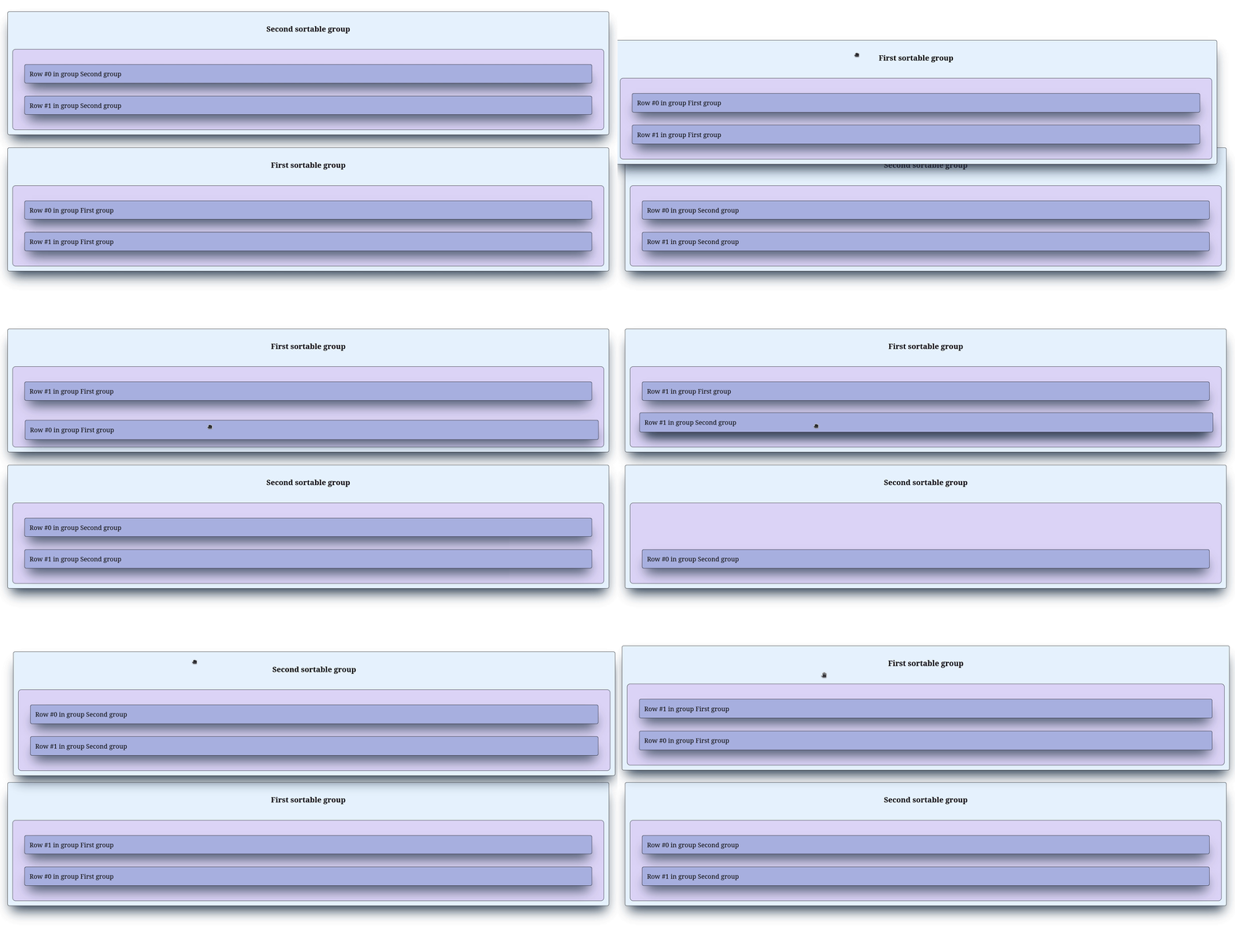
In the example above, we use generate_items() to generate a list of sortable items with unique IDs and then create two groups group1 and group2. For styling purposes, the groups are wrapped with a h3 HTML element to better identify the rows inside a SortableItem. Then, each SortableItem is placed inside a SortableGroup. This creates three SortableGroup components, one sitting at the top and acting as a group of groups and two inner groups that can be sorted. Each inner group also contains items that can be sorted within their parent group.