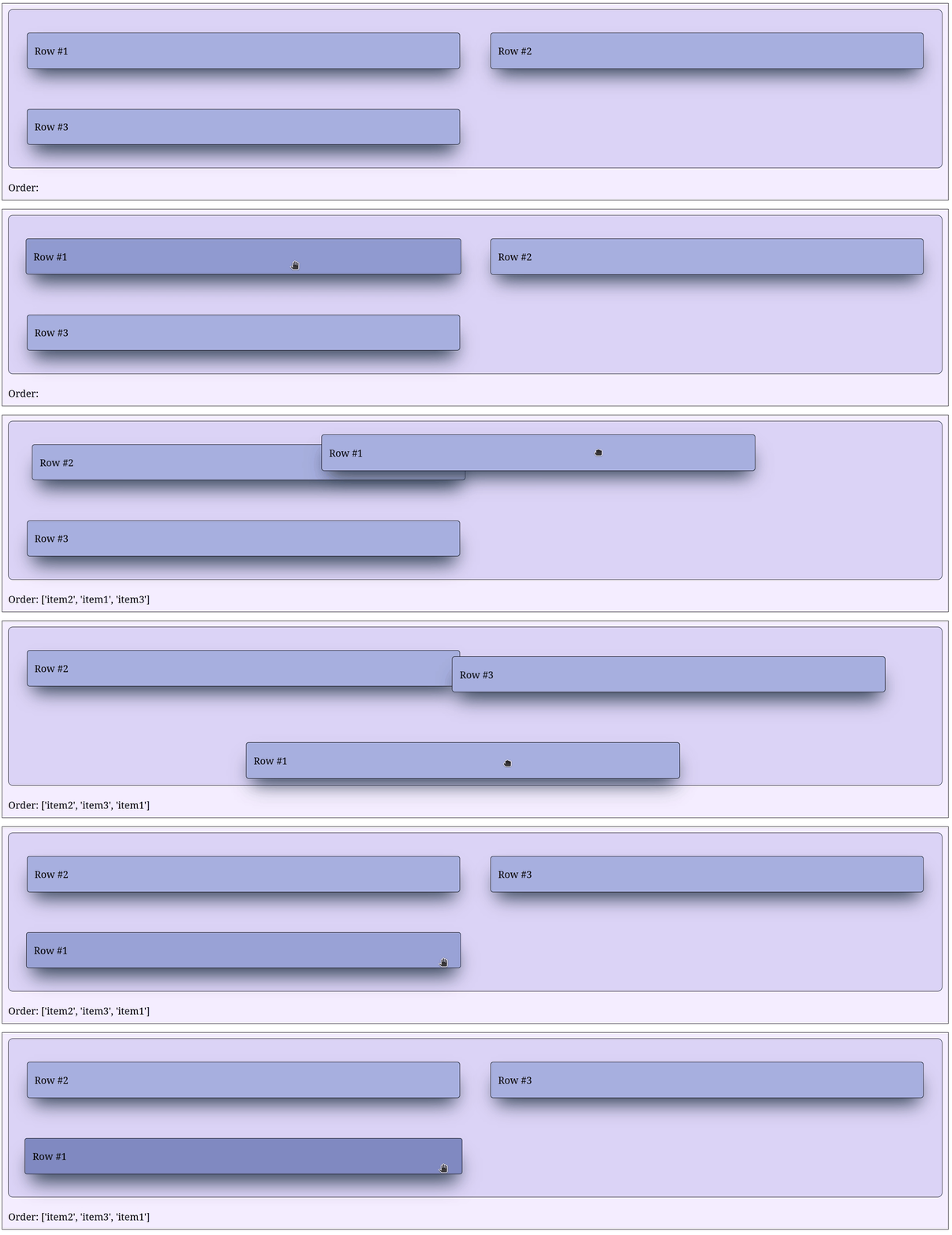
Grid layout
An alternative layout is a grid which can be achieved by providing style = {'style' : 'grid'} to SortableGroup.
See the example below for a grid layout.
import dash
from   dash_sortable_items import SortableGroup, SortableItem

app = dash.Dash(__name__, assets_folder='./')

item1 = SortableItem(
    id        = 'item1',
    children  = [dash.html.Label('Row #1')],
    className = 'item'
)

item2 = SortableItem(
    id        = 'item2',
    children  = [dash.html.Label('Row #2')],
    className = 'item'
)

item3 = SortableItem(
    id        = 'item3',
    children  = [dash.html.Label('Row #3')],
    className = 'item'
)

group = SortableGroup(
    id        = 'group',
    children  = [item1, item2, item3],
    className = 'group',
    style     = {
        'display'             : 'grid',
        'gridTemplateColumns' : 'repeat(2, 1fr)',
        'gridGap'             : '50px'
    }
)

label = dash.html.Label('Order:', id='label')

app.layout = dash.html.Div([group, label], className='container')

@app.callback(
    dash.Output('label', 'children'),
    dash.Input('group', 'sortedIds')
)
def _(sortedIDs: list | None) -> str:

    if sortedIDs is None: raise dash.exceptions.PreventUpdate
    return f'Order: {sortedIDs}'

app.run(debug=True)
.container {
    display          : flex;
    flex-direction   : column;
    background-color : #f4eeff;
    border           : 1px solid black;
    padding          : 10px;
    gap              : 20px;
}

.group {
    padding          : 30px !important;
    background-color : #dcd6f7;
    border           : 1px solid black;
}

.item {
    background-color : #a6b1e1 !important;
    box-shadow       : rgb(38, 57, 77) 0px 20px 30px -10px;
    transition       : all 0.2s ease-in-out;
}

.item:hover {
    background-color : #7e8cc5 !important;
    box-shadow       : rgb(38, 57, 77) 0px 20px 30px -10px;
    scale            : 1.01;
    transition       : all 0.2s ease-in-out;
}