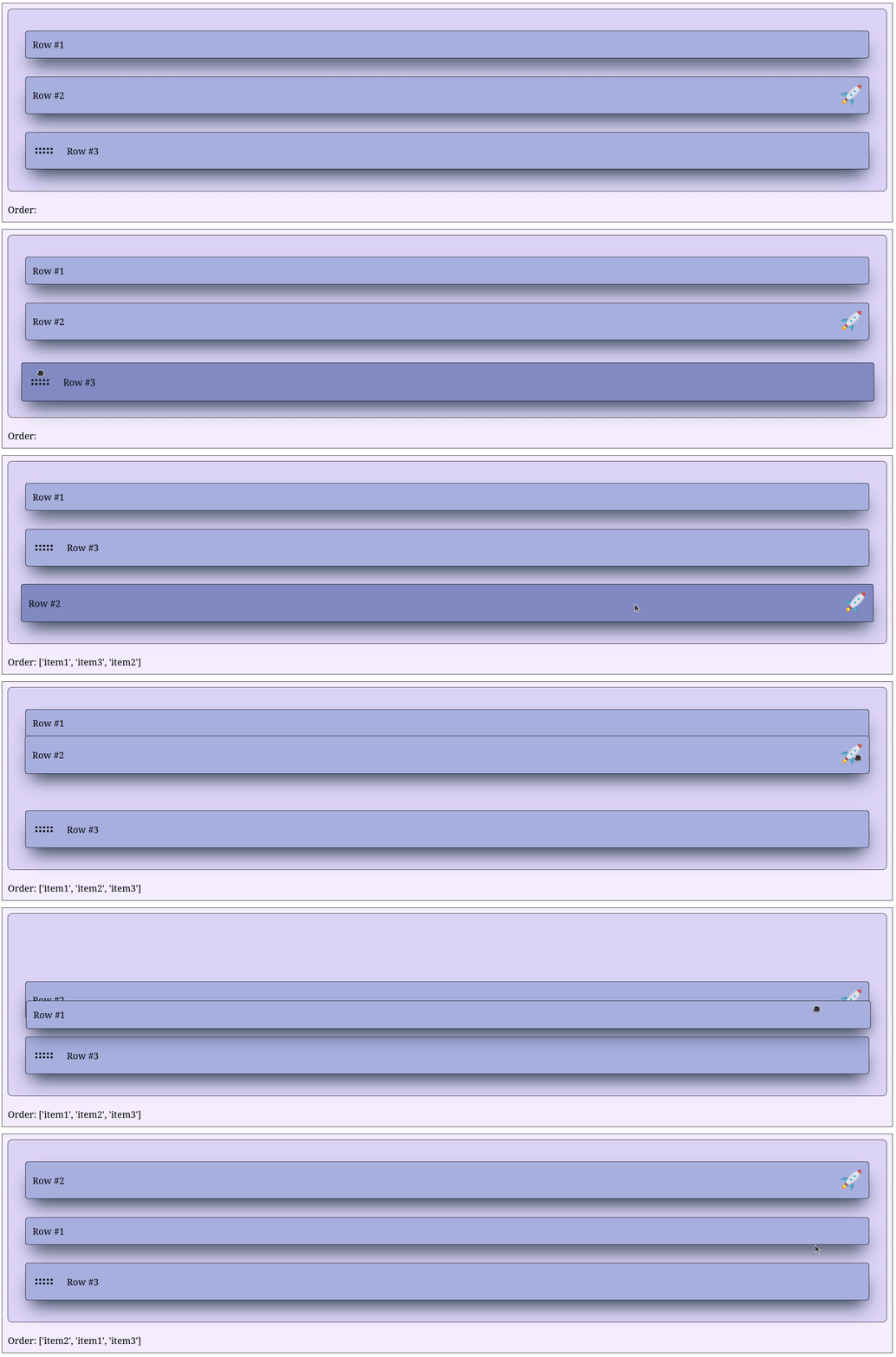
Providing a handle
Instead of having the entire row draggable, it is possible to provide to SortableItem a drag handle with handle = ... followed by a Dash component that will be used as the handle. Usually, one uses an icon which can be provided by Dash iconify but any Dash component works.
The handle can be positioned at the beginning of the div parent element with handle = 'start' or at the end with handle = 'end'.
To customize the div parent element and/or the handle, one can provide to SortableItem a dictionary with styles = {'div' : CSSDict, 'handle' : CSSDict} containing two optional dictionaries with CSS stylesheet properties as key-value pairs:
- one named
'div'which styles the div parent element - another one named
'handle'which styles specifically the handle
For instance, in the example below, the div parent element is styled with 'div' : {'display' : 'flex', 'justifyContent' : 'space-between' } but the handle is left as is.
import dash
from   dash_sortable_items import SortableGroup, SortableItem
from   dash_iconify        import DashIconify

app = dash.Dash(__name__, assets_folder='./')

item1 = SortableItem(
    id        = 'item1',
    children  = [dash.html.Label('Row #1')],
    className = 'item'
)

item2 = SortableItem(
    id        = 'item2',
    handle    = DashIconify(icon='emojione:rocket', width=40, height=40),
    handlePos = 'end',
    children  = [dash.html.Label('Row #2')],
    className = 'item',
    styles    = {
        'div' : {'display' : 'flex', 'justifyContent' : 'space-between' }
    }
)

item3 = SortableItem(
    id        = 'item3',
    handle    = DashIconify(icon='mdi:drag-horizontal', width=40, height=40),
    handlePos = 'start',
    children  = [dash.html.Label('Row #3')],
    className = 'item'
)

group = SortableGroup(
    id        = 'group',
    children  = [item1, item2, item3],
    className = 'group'
)

label = dash.html.Label('Order:', id='label')

app.layout = dash.html.Div([group, label], className='container')

@app.callback(
    dash.Output('label', 'children'),
    dash.Input('group', 'sortedIds')
)
def _(sortedIDs: list | None) -> str:

    if sortedIDs is None: raise dash.exceptions.PreventUpdate
    return f'Order: {sortedIDs}'

app.run(debug=True)
.container {
    display          : flex;
    flex-direction   : column;
    background-color : #f4eeff;
    border           : 1px solid black;
    padding          : 10px;
    gap              : 20px;
}

.group {
    padding          : 30px !important;
    background-color : #dcd6f7;
    border           : 1px solid black;
}

.item {
    background-color : #a6b1e1 !important;
    box-shadow       : rgb(38, 57, 77) 0px 20px 30px -10px;
    transition       : all 0.2s ease-in-out;
}

.item:hover {
    background-color : #7e8cc5 !important;
    box-shadow       : rgb(38, 57, 77) 0px 20px 30px -10px;
    scale            : 1.01;
    transition       : all 0.2s ease-in-out;
}